Flow templates
Ready-made automations for cart recovery, order updates, COD confirmation, review requests and upsells — pick one and edit the wording.
You don't have to build automations from a blank canvas. Pick a template, change the wording and timing to suit your store, publish.
Each one comes with the trigger, the timing, the consent checks and the safety conditions already wired up. You're editing, not engineering.
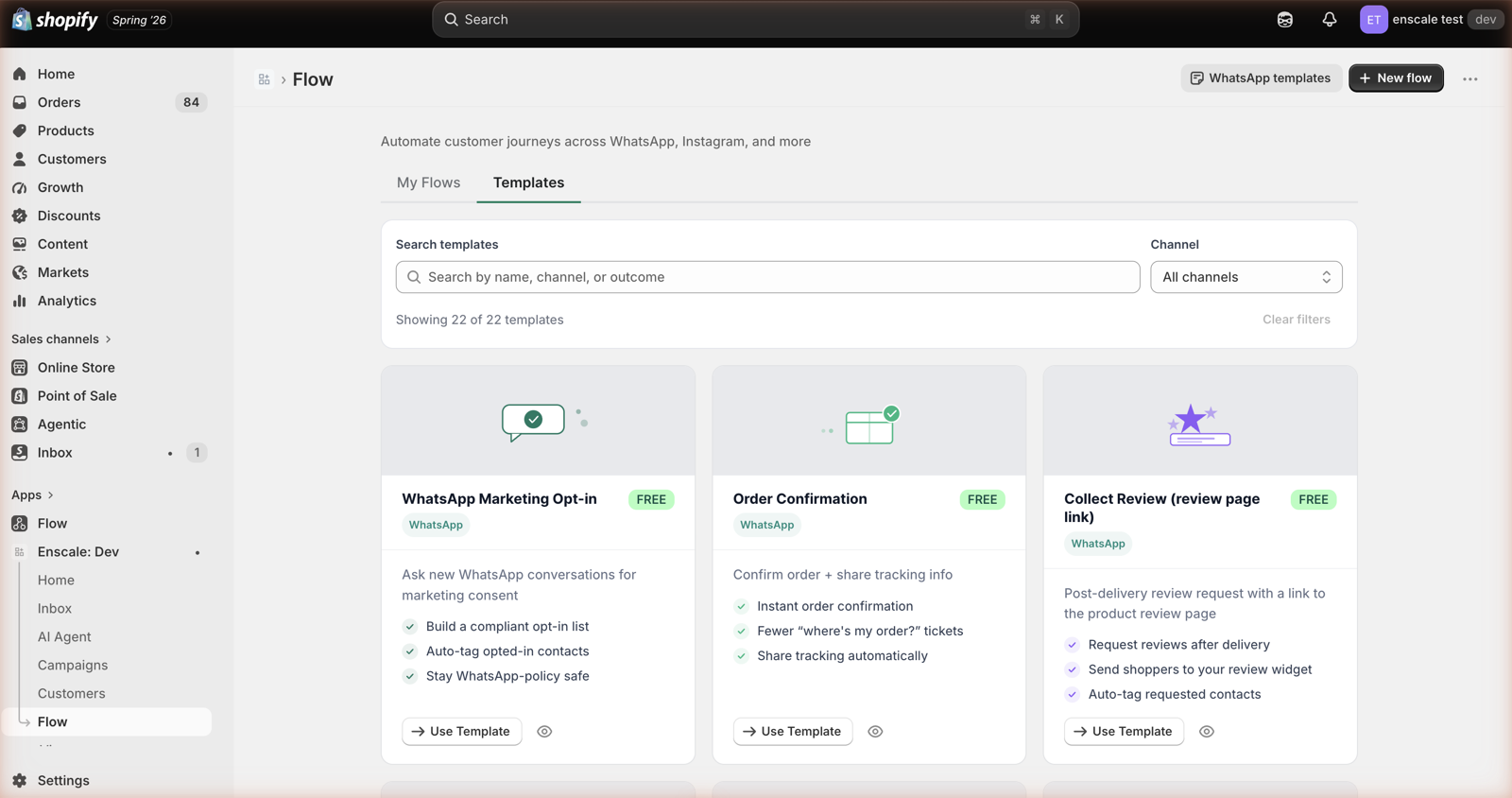
Which one should you build first?
If you're starting out, build them in this order. Each is more valuable than the one after it for most stores:
- Order confirmation — cheapest to run, immediately cuts "did my order go through?" messages.
- Order shipped — kills most of your "where is my order?" volume.
- Abandoned cart recovery — the one that makes you money.
- Review request — compounds over time as reviews accumulate on your product pages.
- COD confirmation — build this early instead if you do significant COD volume.
Before you publish any of them
- Your Shopify install is finished.
- The channel you're sending on is connected.
- You've got WhatsApp opt-in collection running.
- Your message templates are approved by Meta.
- Your plan covers the feature.
Checkout recovery
Abandoned cart reminder
Someone gets to checkout and leaves. This brings them back.
| Starts when | A checkout is created |
| Wait | 30 minutes to 2 hours |
| Goes to | Customers who've opted into WhatsApp |
The flow: checkout created → wait → did they actually buy? → if not, send a recovery message → stop immediately if they convert.
That last part matters. Use Wait for Event rather than a plain wait, so the moment someone buys, the chasing stops. Nothing annoys a customer more than a "you forgot something!" message ten minutes after they paid.
On wording: keep the first message helpful rather than pushy — "Left something behind? Your cart's still here" beats "COMPLETE YOUR ORDER NOW". If you're including a discount, don't lead with it. Train customers to abandon carts for a discount and they will.
COD to prepaid conversion
Turn cash-on-delivery orders into paid-upfront ones.
| Starts when | A COD order is placed |
| Wait | Immediately, or right after COD confirmation |
| Goes to | COD customers with WhatsApp opt-in |
The flow: COD order created → check opt-in → send a payment link with an incentive → stop if they pay.
Worth doing the maths on the incentive. If your refused-delivery rate on COD is 15% and an order is ₹2,400, each refused delivery costs you the shipping both ways plus the tied-up stock. Offering ₹100 off to pay upfront is cheap by comparison — and you get the cash immediately.
Order updates
These are utility messages, so they're the cheapest thing you can send. See Meta template charges.
Order confirmation
| Starts when | An order is placed |
| Wait | Immediately |
The flow: order created → check opt-in → send confirmation with the order number and what happens next.
Simple, and it removes a whole category of anxious messages. Include the order number and a realistic delivery expectation.
Order shipped
| Starts when | A fulfilment is created |
| Wait | Immediately |
The flow: fulfilment created → grab the tracking details → check opt-in → send the update with a tracking link.
This is the single biggest reducer of "where is my order?" messages. If you only build one order-update automation, build this one.
Order delivered
Fires from Fulfillment Updated with a condition on the shipment status — Shopify has no dedicated delivered event. Useful as the starting point for review requests and reorder reminders.
Reviews
Post-purchase review request
| Starts when | An order is delivered |
| Wait | 1 to 5 days |
| Goes to | Buyers with WhatsApp opt-in |
The flow: delivered → wait → have they already reviewed this? → check opt-in → send a request with a verified review link → save the rating → update the product's star rating on your storefront.
Why WhatsApp beats email here: review request emails get opened by a small fraction of customers. A WhatsApp message gets read. The same list will produce several times the reviews.
On timing: two days is a good default. Same-day is too early — they haven't used it. Two weeks is too late — they've moved on.
Use Fetch review link so the review shows as a verified purchase. Verified reviews convert better on your product pages.
Cash on delivery
COD double confirmation
| Starts when | A COD order is placed |
| Wait | Immediately |
The flow: COD order → check opt-in → ask them to confirm → if they confirm, tag the order → if they don't reply within your timeout, flag it for your team.
Straightforward and it pays for itself quickly if you take COD orders. An unconfirmed COD order that you don't ship is far cheaper than one you ship and get refused.
Retention
Reorder reminder
For anything consumable — supplements, coffee, skincare, pet food.
| Starts when | A set time after purchase |
| Wait | Product-specific: 21, 30 or 60 days |
| Goes to | Previous buyers with opt-in |
The flow: wait for your reorder interval → have they already reordered? → check opt-in → send a reminder with a direct link.
Set the interval to how long the product actually lasts, not a round number. A 30-day supplement should be reminded at day 25, while they still have a few left — not day 45, when they've already bought a competitor's.
Product upsell
| Starts when | An order is placed or delivered |
| Wait | 1 to 7 days |
The flow: order → identify what they bought → pick something that pairs with it → check opt-in → send a personalised recommendation.
The Recommend Product step defaults to pairing with the first item in the order, which is usually what you want.
Win-back
For customers who've gone quiet. Build on a time-since-last-order condition, and keep the tone light — the goal is to remind them you exist, not to guilt them.
Comment auto-reply
Reply publicly to comments matching your keywords. Immediate, and it makes your posts look responsive to everyone reading.
Comment to DM
The high-value one: reply publicly and send the details privately. Someone comments "price?" and gets a DM with the price, sizes and a link within seconds.
Full guide: Instagram comment automation.
Lead capture
Coupon for popup subscribers
| Starts when | Someone subscribes through a storefront popup |
| Wait | Immediately |
The flow: subscriber created → check consent → send their coupon → tag them → stop if they buy.
This is what makes the coupon popup work. Send the code immediately — a customer who gave you their number and got nothing back within a minute assumes it's broken.
Before you hit publish
Whichever template you started from, check these:
- The wording. Template copy is a starting point, not your brand voice.
- The timing. Defaults are sensible but generic; your products may need different intervals.
- Who it goes to. Confirm the audience rules match what you intended.
- The stop conditions. Especially on recovery flows — make sure it stops when the customer converts.
- The Meta template category. Marketing costs more than utility, and mislabelling damages your rating. See Meta template charges.
Test on a real order of your own before you set anything Active. Place a small order, walk it through, and read the message that arrives on your own phone. It takes ten minutes and catches the things preview doesn't.
Next steps
- Workflows — editing and publishing a flow.
- What can start an automation — building your own from scratch.
- Meta template charges — what each of these costs to run.
Using customer details
Put the customer's name, order number or tracking link into an automated message, instead of sending everyone the same generic text.
Instagram comment automation
Turn "price?" comments into DMs and sales automatically — reply publicly, send the details privately, all within seconds.